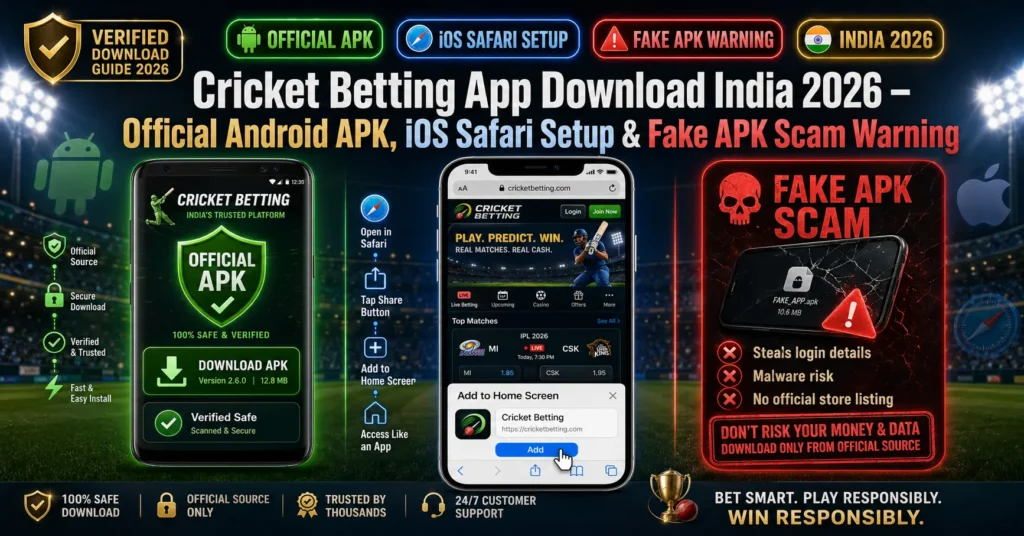
The reason you cannot find a cricket betting app download on the Google Play Store or Apple App Store is not because the apps are illegal — it is because Google and Apple’s platform policies prohibit real-money gambling apps from being listed on their stores for the Indian market. Every legitimate cricket betting platform distributes their Android app as a direct APK download from their official website, and their iOS experience runs as a Progressive Web App (PWA) through Safari.
This creates a security problem: the absence of official store listings means anyone can create a fake APK, brand it as a legitimate cricket betting app, and distribute it via WhatsApp, Telegram, and fake download websites. Downloading the wrong APK is the fastest way to have your login credentials stolen and your betting wallet emptied.
This guide covers: where to safely download the official cricket betting app download india for Android, how to set up the iOS Safari web app, step-by-step installation instructions, and the exact signals that distinguish a legitimate APK from a fake one.
Why Cricket Betting App Is Not on Google Play Store or App Store
This is the first question every new bettor has — and the answer is straightforward.
Google Play Store policy: Google prohibits real-money gambling apps in India under its regional compliance policies. Indian-market Android devices cannot download or install cricket betting apps from the Play Store. This policy applies regardless of how established or legitimate the platform is — Laser247, LemonBook, JioFairPlay, Cricbet99 — none of them have Play Store listings for the Indian market.
Apple App Store policy: Apple similarly restricts real-money gambling apps in the Indian App Store. No cricket betting platform has an official iOS App Store listing for Indian users.
What this means practically:
- Android users download a direct APK file from the platform’s official website
- iOS users use the platform’s mobile website via Safari, saved as a home screen shortcut (PWA)
- Neither experience requires a store download
- Neither experience is inferior to a store-listed app — modern mobile-optimised betting sites function identically to native apps
The legitimate path: Every verified cricket betting platform hosts their official APK on their own website. The download is free. There is no “premium version” or “unlocked version” available anywhere else — if you see one, it is fake.
Official Cricket Betting APK Download Sources 2026
This is the only safe approach to cricket id apk download — go directly to the provider’s official website and download from there. No third-party APK sites, no Telegram file shares, no WhatsApp forwards.
Verified official APK sources:
| Provider | Official Website | APK Size | Android Minimum | Auto-Update |
| LemonBook | lemonbook.in | ~15 MB | Android 6.0 | ✅ In-app |
| JioFairPlay | jiofairplay.com | ~18 MB | Android 6.0 | ✅ In-app |
| Laser247 | laser247.com | ~20 MB | Android 7.0 | ✅ In-app |
| Cricbet99 | cricbet99.com | ~16 MB | Android 6.0 | ✅ In-app |
| AmiriBook | amiribook.com | ~14 MB | Android 5.1 | Manual |
How to verify you are on the correct official website before downloading:
- Check the URL carefully — scam sites use domains like “lemonbook-apk.com”, “laser247-official.net”, “cricbet99download.in” — none of these are real. The legitimate domain is always short, clean, and matches the provider’s known branding
- Check domain age — visit who.is and enter the domain. Legitimate platforms have domains registered at least 1–2 years ago. A domain registered 3 months ago claiming to be an “official” source is a clone
- SSL padlock — the browser address bar should show a padlock icon confirming HTTPS. Never download from an HTTP (non-SSL) site
- Cross-reference on community channels — search the domain name on Reddit r/CricketBetting — if it is legitimate, multiple users will have confirmed it
How to Download and Install Cricket Betting APK on Android — Step by Step
[HowTo Schema — 7 Steps]
Step 1: Open the Official Provider Website in Chrome
On your Android phone, open Google Chrome (not a third-party browser). Navigate directly to the provider’s official website — for example, lemonbook.in. Do not use a link sent via WhatsApp or Telegram to reach the download page — type the URL directly.
On the homepage or download section, locate the “Download Android APK” or “Get the App” button.
Step 2: Tap the APK Download Button
Tap the download button. Chrome will display a warning: “This type of file can harm your device. Do you want to keep [filename].apk?”
Tap “OK” or “Download anyway” — this warning appears for all APK files because they are not from the Play Store. It does not mean the file is harmful. It is a standard Android warning for all direct APK downloads.
The APK file (typically 14–20 MB) will download to your phone’s Downloads folder. Download time: under 30 seconds on a 4G connection.
Step 3: Enable “Install Unknown Apps” for Chrome
Before you can install the APK, Android requires you to allow installations from sources outside the Play Store. This setting is per-app — you only need to enable it for Chrome (the browser you used to download).
Path varies by Android version:
Android 8.0 and above (most common):
- Go to Settings → Apps → Chrome → Install Unknown Apps
- Toggle “Allow from this source” to ON
Android 7.0 and below:
- Go to Settings → Security → Unknown Sources
- Toggle to ON
- Note: this enables it globally — re-disable after installation for security
Security note: After installing the cricket betting APK, return to Settings and re-disable “Install Unknown Apps” for Chrome. This prevents any other accidentally downloaded file from installing without your knowledge.
Step 4: Open the Downloaded APK File
Go to your phone’s Downloads folder (accessible via the Files app or Chrome’s download history). Tap the APK file — a system installation prompt appears showing the app name, permissions requested, and storage requirements.
Review the permissions list:
- Expected permissions: Internet access, storage (for cache), camera (optional, for some platforms’ QR deposit features)
- Red flag permissions to reject: Contacts access, SMS read access, call log access — no legitimate cricket betting app needs these
If permissions look reasonable — tap “Install”.
Step 5: Wait for Installation to Complete
Installation takes 10–30 seconds depending on your device. Once complete, the system shows: “App installed” with an “Open” button.
Tap Open to launch the app. The login screen loads — enter your cricket ID username and password.
Step 6: Log In and Verify Everything Works
Enter your username and password on the app login screen. Your account dashboard, wallet balance, and available markets should all load correctly.
Verify these elements work in the app:
- ✅ IPL 2026 matches visible in Cricket section
- ✅ Wallet balance matches what you see on the web version
- ✅ Deposit section accessible with your UPI ID
- ✅ Withdrawal section accessible
If anything is missing or broken — the APK may be outdated. Return to the official website and download the latest version.
Step 7: Enable Auto-Update Notifications
Most legitimate cricket betting apps (LemonBook, JioFairPlay, Laser247) include an in-app auto-update system. When a new version is released, the app displays a notification prompting you to update — tapping it downloads and installs the update from within the app.
Enable in-app notifications when prompted on first launch so you receive update alerts. Keeping the app updated ensures you have the latest security patches, IPL market updates, and UI improvements.
Cricket Betting App for iPhone — iOS Safari Setup Guide
There is no cricket betting app download via the Apple App Store for Indian users. The correct approach for iPhone is to save the platform’s mobile website as a Progressive Web App (PWA) via Safari — which creates a home screen icon that looks and functions identically to a native app.
Step-by-step iOS Safari PWA setup:
- Open Safari on your iPhone (must be Safari — Chrome and other browsers do not support home screen PWA on iOS)
- Navigate to the official platform website — e.g., lemonbook.in
- The site will automatically display in mobile-optimised view
- Tap the Share icon at the bottom of Safari (the square with an upward arrow)
- Scroll down in the share sheet and tap “Add to Home Screen”
- Edit the name if desired (e.g., “LemonBook”) — tap “Add”
- A new icon appears on your iPhone home screen
Tapping this icon opens the platform in a full-screen browser view — no address bar, no browser controls — identical to a native app experience.
iOS PWA vs Android APK — functional comparison:
| Feature | Android APK | iOS Safari PWA |
| Home screen icon | ✅ | ✅ |
| Full-screen experience | ✅ | ✅ |
| Push notifications | ✅ (most apps) | ⚠️ Limited (iOS 16.4+ only) |
| Offline access | ⚠️ Limited | ❌ Requires internet |
| App store required | ❌ | ❌ |
| Update process | In-app auto-update | Automatic (always latest web version) |
For most betting purposes — deposits, bets, withdrawals, live markets — the iOS PWA experience is fully functional.
Fake Cricket Betting APK Scams — 6 Detection Signals
Fake cricket betting APKs are one of the most common fraud vectors in the Indian betting space. A fake APK looks identical to the real app, installs without error, shows a login screen — and captures your credentials the moment you type them. Your wallet can be emptied within minutes of entering your details on a fake app.
Signal 1 — The APK came via WhatsApp or Telegram
Legitimate platforms do not distribute their APKs via WhatsApp forwards or Telegram file shares. The only legitimate APK source is the provider’s own official website. Any APK that arrived via a forwarded message — regardless of how official it looks — must not be installed.
Signal 2 — The download source is not the provider’s main domain
Fake download sites use URLs like “laser247apkdownload.com” or “cricbet99-official-app.in”. The real APK always comes from the provider’s main domain — laser247.com, cricbet99.com, lemonbook.in. Check the domain before downloading. If it is not the primary domain — do not download.
Signal 3 — The file size is significantly different from expected
Legitimate cricket betting APKs are 14–20 MB. A file claiming to be a cricket betting app that is 2 MB or 50 MB is either stripped-down malware or bloated adware. Check approximate file size before installing.
Signal 4 — Unusual permission requests during installation
If the APK installation requests SMS read access, contacts access, or call log access — reject and uninstall immediately. These permissions have no legitimate function in a cricket betting app and are classic credential-harvesting malware signatures.
Signal 5 — Login screen looks slightly wrong
Fake apps often use slightly outdated or mismatched UI — wrong logo proportions, wrong font, wrong colour shades. If anything about the login screen looks off compared to the web version — do not enter credentials. Close the app, uninstall it, and download fresh from the official site.
Signal 6 — The “app” is actually just a WebView of a phishing site
Some fake APKs are simply a WebView browser frame loading a phishing copy of the real platform’s URL — with the domain slightly changed (e.g., “laser247.net” instead of “laser247.com”). Always check which URL is loading inside the app — visible in the address bar if the APK uses a WebView. If the domain does not match exactly — close and uninstall.
Official APK Download Quick Reference — 2026
| If you need… | Best option | Why |
| Fastest activation + app | JioFairPlay (jiofairplay.com) | 60-second automated web registration, stable app |
| Lowest min deposit + app | LemonBook (lemonbook.in) | ₹100 minimum, 2-minute activation, reliable APK |
| iPhone / iOS | Any provider via Safari PWA | No App Store needed, full functionality via Safari |
| Older Android (5.1) | AmiriBook | Lowest Android version compatibility |
| Crypto + UPI + app | Laser247 (laser247.com) | Dual payment support, well-reviewed APK |
Cricket Betting App Download India — Frequently Asked Questions
Q1: Why is cricket betting app not available on Google Play Store?
Cricket betting apps are not on Google Play Store because Google’s regional policies prohibit real-money gambling apps in the Indian market. This applies to all platforms regardless of their legitimacy. The correct download method is directly from the provider’s official website as an APK file for Android, or via Safari PWA on iOS.
Q2: How do I download cricket betting APK on Android?
Visit the provider’s official website in Chrome on your Android device. Find the “Download APK” button. Download the APK file. Go to Settings → Apps → Chrome → Install Unknown Apps → Enable. Open the downloaded APK file from your Downloads folder. Tap Install. The app is ready to use. Full guide is in Section 4 above.
Q3: Is it safe to download cricket betting APK from official sites?
Yes — downloading from the provider’s official primary domain (e.g., lemonbook.in, laser247.com) is safe. The Android “Unknown Sources” warning that appears is a standard system warning for all non-Play-Store installs — it does not indicate the file is harmful. Never download from third-party sites, Telegram shares, or WhatsApp forwards.
Q4: How do I install cricket betting app on iPhone iOS?
iPhone users cannot download a native app but can create a home screen shortcut via Safari: Open the platform website in Safari → tap the Share icon → tap “Add to Home Screen” → tap Add. This creates a full-screen PWA that functions identically to a native app for all betting purposes.
Q5: What is “Enable Unknown Sources” and is it safe?
“Install Unknown Apps” (Android 8+) or “Unknown Sources” (Android 7 and below) is an Android security setting that must be temporarily enabled to install APKs from outside the Play Store. It is safe to enable specifically for the duration of your APK installation. After installation, return to Settings and disable it again for security — this prevents any other downloaded files from auto-installing.
Q6: How do I know if a cricket betting APK is fake?
Key signals: APK arrived via WhatsApp/Telegram (not official website), download site is not the provider’s main domain, file is under 5 MB or over 40 MB, installation requests SMS/contacts permissions, login screen looks slightly different from the web version. If any of these apply — delete the file and download fresh from the official website only.
Q7: Does the cricket betting app auto-update?
Most major platforms (LemonBook, JioFairPlay, Laser247, Cricbet99) include in-app auto-update systems — the app notifies you when an update is available and installs it directly. Smaller or agent-based providers require manual APK re-download from their website for updates. Check your app’s settings for an “Update” or “Version” section to see your current version.
Q8: Can I use cricket betting app without registering first?
No — you need an active cricket ID (username and password) to log into any cricket betting app. The app itself is just an interface to your account. Register first via WhatsApp or the provider’s website, receive your credentials, then use them to log in on the app. Registration guide
Q9: What Android version do I need for cricket betting APK?
Most cricket betting APKs require Android 6.0 (Marshmallow) or above — this covers the vast majority of Android phones in India manufactured after 2016. AmiriBook supports Android 5.1. Laser247 requires Android 7.0 minimum. If your phone runs Android 5.0 or below, the browser web version of any platform works on any Android version with internet access.
Q10: What is the file size of a cricket betting APK?
Legitimate cricket betting APKs are 14–20 MB in size. LemonBook: ~15 MB, JioFairPlay: ~18 MB, Laser247: ~20 MB, Cricbet99: ~16 MB. If an APK claiming to be a cricket betting app is significantly smaller (under 5 MB) or larger (over 40 MB) — treat it as a red flag and verify from the official source before installing.
Responsible Gaming
Responsible Betting — App Access Does Not Change the Rules
Having the app on your home screen makes betting faster and more accessible — which makes responsible gaming commitments even more important.
- App convenience is not a reason to increase bet frequency — set the same daily limit you would on the web version
- Delete the app if betting is becoming a problem — removing home screen access is a simple, effective friction increase
- Never save your password on the app — forces a conscious login decision each session
- 18+ only — app installation does not change the minimum age requirement
Free confidential helplines — 24/7:
- iCall India: 9152987821
- NIMHANS Bangalore: 080-46110007
- Vandrevala Foundation: 1860-2662-345 (24/7)
- Sumaitri Delhi: 011-23389090
Related reading — recent guides on this site
- Cricket ID Password Security — App security beyond the app store.
- Daman Game Password Reset and Account Recovery — Credential recovery when apps go wrong.